Sidebar

Vendor Registration Setup
This article explains how to setup your vendor registration for your online store.
Automatic Vendor after Joomla/Jomsocial registration
- In the administration panel, go to Components >> jMarket >> Vendors
- In the General Tab, under Vendor Registration section set "Automatic Vendor Registration" >> Yes
Automatic Vendor Registration
Yes: Make anyone who register to the website a vendor automatically.
No: Anyone who register to the website will not become a vendor automatically.
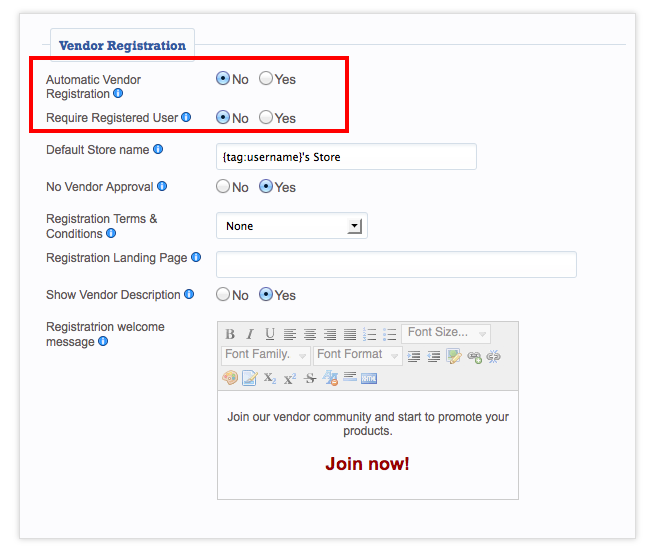
You can use the jMarket Vendor registration to register instead using Joomla or JomSocial
- Click [ Save ] to save your changes.
Joomla/Jomsocial Registration first before vendor registration
This option is suitable if you don't want your users to be automatically become a Vendor. And give them the option to Apply as a Vendor to your site after registration or later.
- In the administration panel, go to Components >> jMarket >> Vendors
- In the General Tab, under Vendor Registration section;
- Set "Automatic Vendor Registration" >> No
- Set "Require Registered User" >> Yes
Require Registered User
Yes: If users need to be registered to the site before they can apply as a vendor.
No: Anyone can apply as a vendor without site registration.
- Click [ Save ] to save your changes.