Sidebar

How to translate or modify a language?
jMarket can be translated in over 40 languages, the installed default is English.
We do our best to facilitate easy and convenient translation that you are able to modify when needed. When you install any of the available Joomla languages for your website it will automatically be available in all of our applications as well.
Note: Please make sure that you have installed your desired language in Joomla prior to installing jCenter.
If you want to have a German site, you will need to intall the German language file from Joomla first. When you install jCenter or any other applications it will automatically detect your Joomla language and install it.
Synchronize your Joomla languages to jCenter
Then go to jCenter >> Tools >> Languages
In the language area, click Synchronize button and then click Install
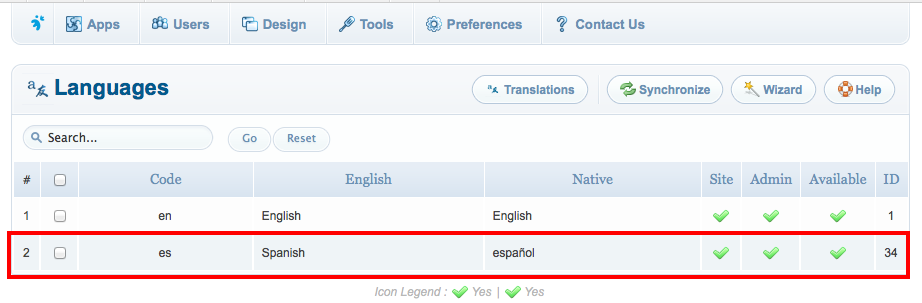
Two ways to change a language text
1. Via language editor in the backend
2. Using direct edit functionality
1. Via language editor in the backend
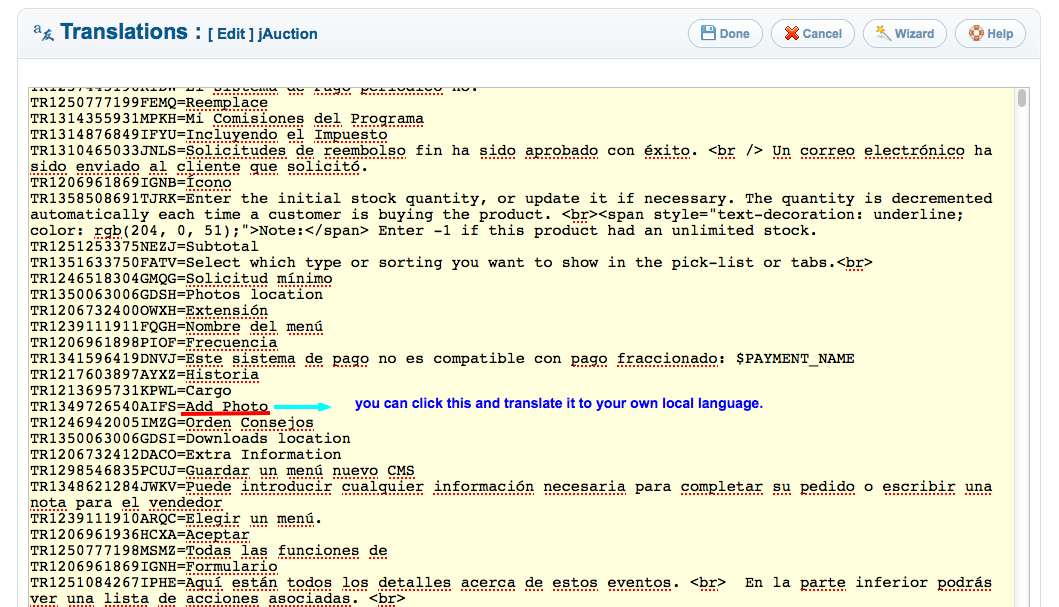
Translation via language editor can be convenient if you are familar with editing using notepad or text wrangler and want to change a lot of strings at once, in a single place. This can be convenient if you are only applying minor modifications.
Step 1—Login to your Joomla backend
Once login, go to Components -> jCenter -> Tools -> Translations
You can see all applications available with available languages that are installed in your site. In any case you cannot see your application with your language file, you need to follow the above steps "Synchronize your Joomla language to jCenter".
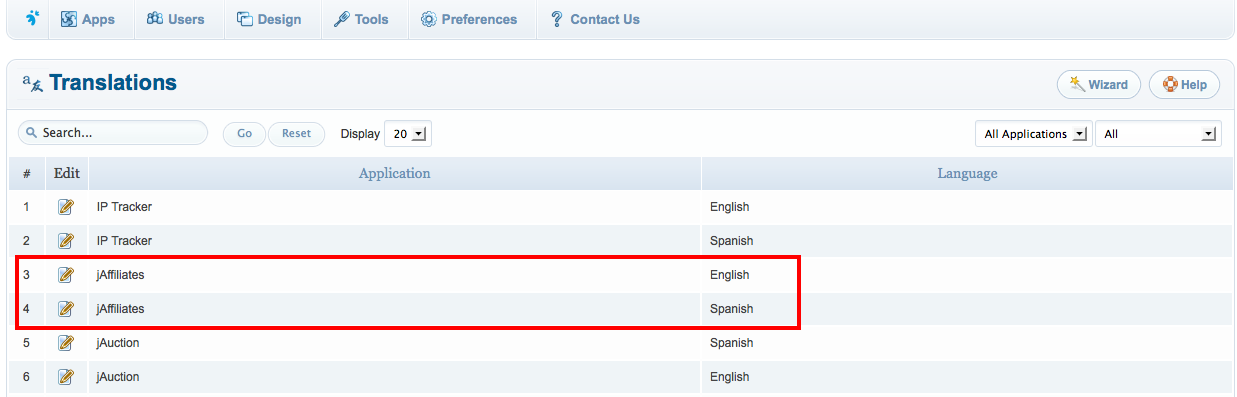
Step 2—Select the application you intend to translate
Just click the Edit icon at the left side of the Application. You will be redirected to the page where you can edit the strings. For your convenience you can always copy the strings and paste in text wrangler or notepad or any other editor you are comfortable using to easily find and replace.
2. Using direct edit functionality
Click this article to learn how to easily edit any view without using PHP knowledge.